Workplace Management
2025-11-13
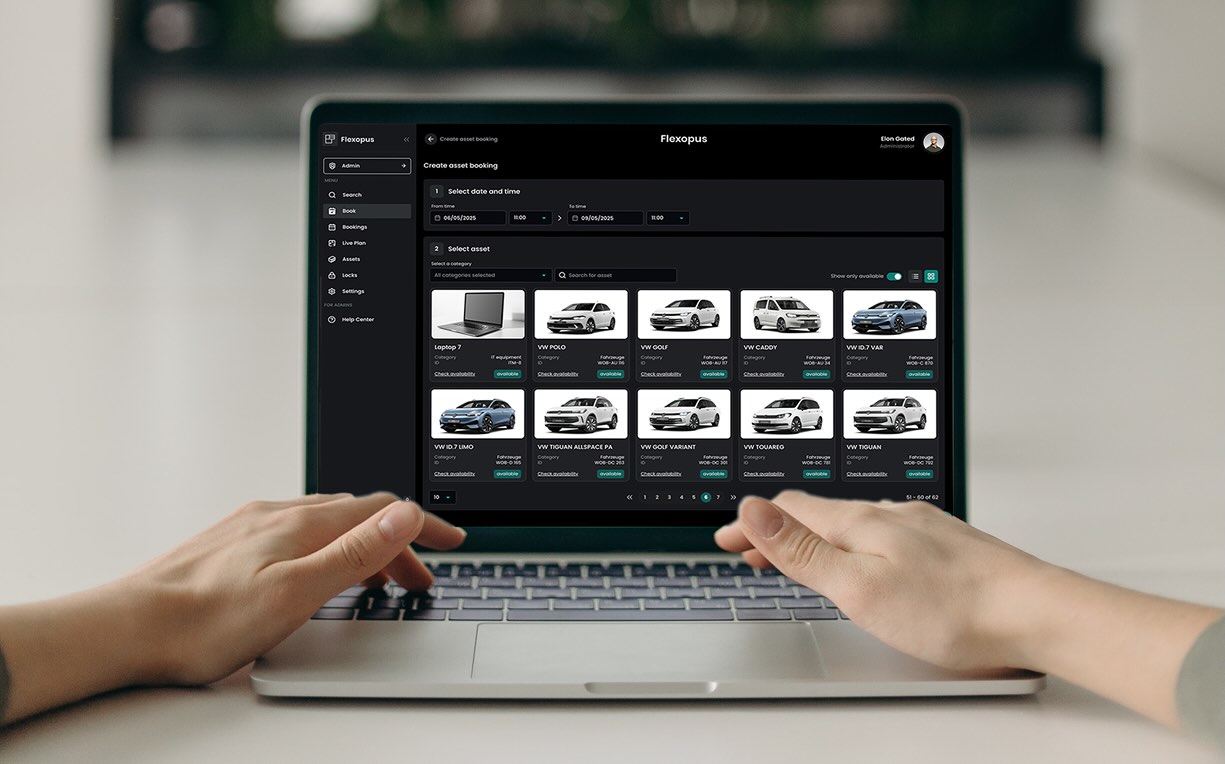
Digital Inventory Management: Managing Company Assets with Flexopus
Organization is half the battle! In this article, you will learn how digital inventory management helps to centrally record company inventory, manage equipment efficiently, and keep an overview at all times. From IT hardware and cameras to company cars: digital processes reduce paperwork, simplify bookings, and ensure structured inventory management.

Table of contents
What is digital inventory management?
Digital inventory management refers to the software-supported organization of company inventory. Relevant information about physical resources—such as IT hardware, vehicles, tools, office equipment, or lockers—is centrally recorded and managed. The goal is to map company resources in a structured way and simplify their administration.
Why is digital inventory management important?
As inventory grows, locations multiply, and responsibilities shift, administrative effort increases rapidly. Manual lists and Excel files become confusing, information becomes outdated, and coordination consumes unnecessary time.
A digital solution reduces this effort, establishes clear responsibilities, and facilitates cross-location collaboration. At the same time, resources can be used more efficiently, unnecessary new purchases can be avoided, and shared items in flexible work environments can be better organized.

Digital inventory management with Flexopus
With Flexopus, companies can centrally record, manage, and flexibly provide their inventory. Assets such as IT hardware, company vehicles, tools, or lockers can be permanently assigned to employees or made available for booking. Additional information such as manufacturer, serial number, price, or ownership status ensures transparent documentation. Assets can also be accessed and managed directly on-site via QR codes.
Which inventory can be managed digitally?
Some examples that can be inventoried with Flexopus:
Inventory assets using free QR codes
Inventory management becomes efficient when it starts at the object itself. That is exactly what our Flexopus Asset QR codes are designed for: each asset can be linked to a QR code sticker, allowing users and admins to call up the corresponding object directly by scanning it. Each QR code contains a unique ID and can only be assigned to one asset at a time.
The typical process is kept intentionally simple:
- Request QR codes
As an admin, request the QR codes via email from the Flexopus support team. The request should include the URL of your Flexopus application, the desired quantity, your name, and your postal address. The QR codes will be sent by mail and are 100% free for Flexopus customers. - Attach QR codes to assets
Once the stickers arrive, attach them to the assets you wish to inventory. We recommend labeling all assets first and then linking them in Flexopus. - Link QR codes in Flexopus
Linking is done via Flexopus: As an asset administrator, log in to the standard user page, open the Assets section, select the asset overview, open the desired asset, and use the "QR code" tab to scan the sticker. The code is then uniquely assigned to the asset. - Test the connection and remove if necessary
To test, scan the QR code as a regular user and create a booking. If a code needs to be removed, you can do this in the admin area under Assets > All assets, open the asset, and delete the QR code in the General settings. Important: If you delete the QR code and want to reconnect it later, you must be on-site to do so.
Why is this relevant for inventory management? Because QR codes eliminate media discontinuity. They reduce manual searching, make devices quickly locatable, and ensure that inventory software is used in everyday life, not just for annual stocktaking. You can find a step-by-step guide for attaching asset QR codes here.
Asset management for fixed asset accounting
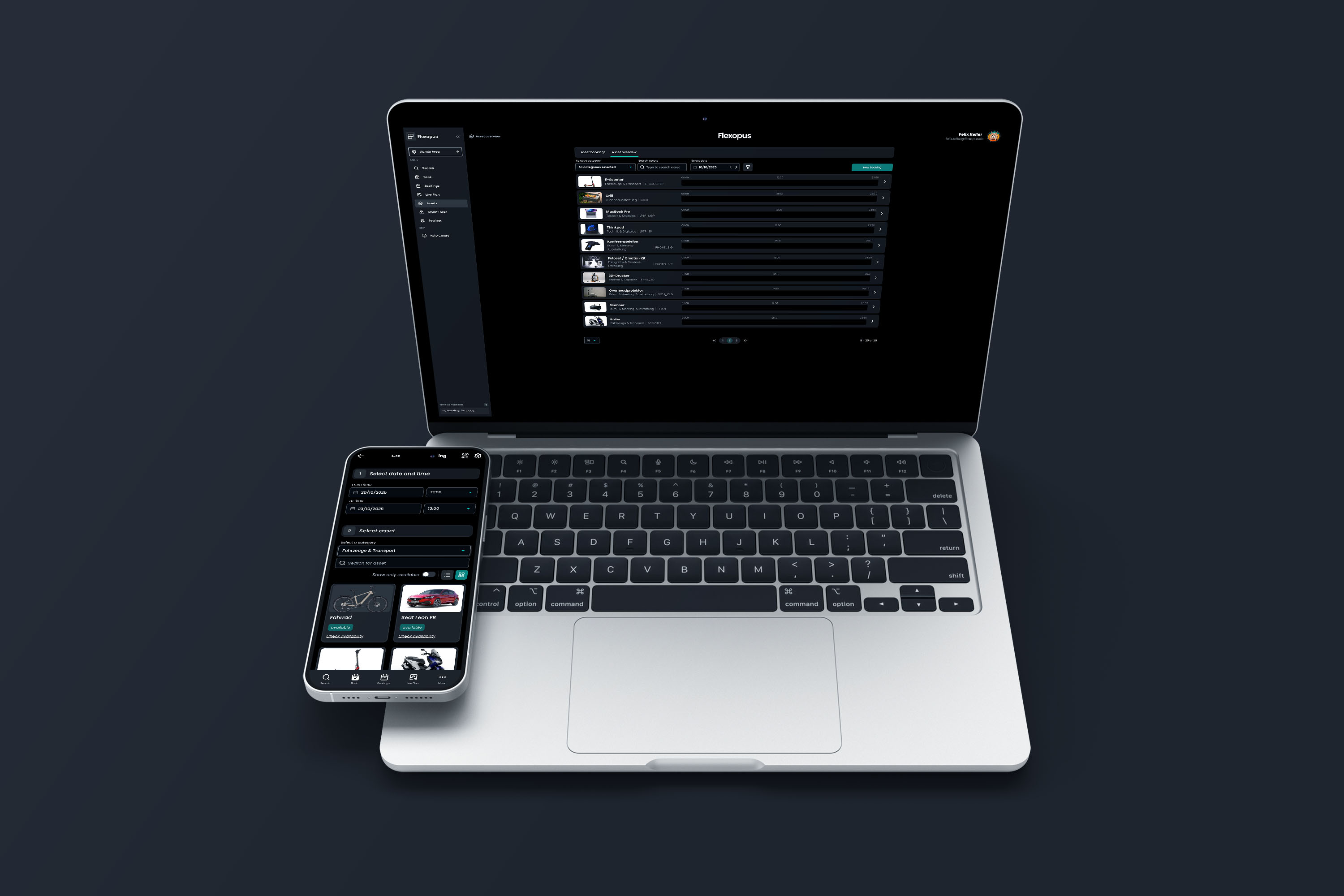
Fixed asset accounting relies on reliable master data: identification features, acquisition value, ownership status, terms, and documents. The Flexopus asset management software is not a replacement for a full-scale financial system, but it provides a clean data foundation as inventory software and makes information available where it originates: in everyday office life.
A major advantage: you can not only describe assets in a general way, but specifically enrich them with information that will later be needed in fixed asset accounting or in a preceding fixed asset accounting tool. This includes, among other things, manufacturer, serial number, production date, price, and ownership status (purchase or lease).
Fields important for fixed asset accounting
If you want to use Flexopus as a data source for your fixed asset accounting, it is worth taking a look at the fields that can already be created as standard:
- Name and internal ID (e.g., an inventory/asset code): Cornerstones for unique identification within the company.
- Category: Helps to structure asset types (IT, vehicles, meeting, tools, etc.) and to filter them cleanly later on.
- Manufacturer and serial number: Relevant features for verification, support, and audit.
- Production date: Useful for lifecycle and replacement planning.
- Price: Basic information regarding acquisition/investment.
Fazit
Good inventory management is not defined by a long list of features, but by how easily it can be integrated into everyday work. Flexopus connects the digital management of office and IT inventory directly with existing booking and office processes.
The most important questions summarized
What is digital inventory management?

Digital inventory management tracks and manages company inventory centrally within a software platform.
What inventory can companies manage digitally?
Companies can digitally manage almost all physical resources, such as IT hardware, vehicles, tools, office equipment, lockers, or accessories.
How does Flexopus support inventory and asset accounting without replacing a financial system?
Flexopus provides a clean database with structured asset fields such as category, manufacturer, serial number, production date, price, and ownership type (purchase/lease). Through import/export, inventory can be quickly adopted, updated, and shared with other systems. This keeps master data centrally maintained and readily available for inventory counts, audits, and asset processes – without the need for duplicate list maintenance.
What is the difference between inventory management and asset management?
What is the difference between inventory management and asset management?
Last updated:
2026-10-21
.svg)

.webp)

.webp)