Flexopus News
2025-12-15
.webp)
Flexopus Product Update: Highlights from the Last Six Months
2025 was a milestone for Flexopus! In this review, we present the most exciting highlights: From AI-powered booking assistants to in-depth analytics dashboards and advanced integrations. Find out how we've made desk sharing even more intuitive to take the hybrid work experience for admins and users to a whole new level.

Table of contents
Over the past several releases, Flexopus has evolved significantly: with improvements across workplace booking, service management, visitor experiences, device support, and administrative control.
From version 2.38.0 through 2.44.0, we focused on one clear goal: making hybrid workplace management more flexible, scalable, and intuitive for both users and admins.
This article provides an overview of everything that’s new, so you can quickly see how Flexopus has progressed.
Platform and Administration Improvements
Across multiple releases, we introduced several enhancements that give administrators more control, flexibility, and consistency.
Language and User Management
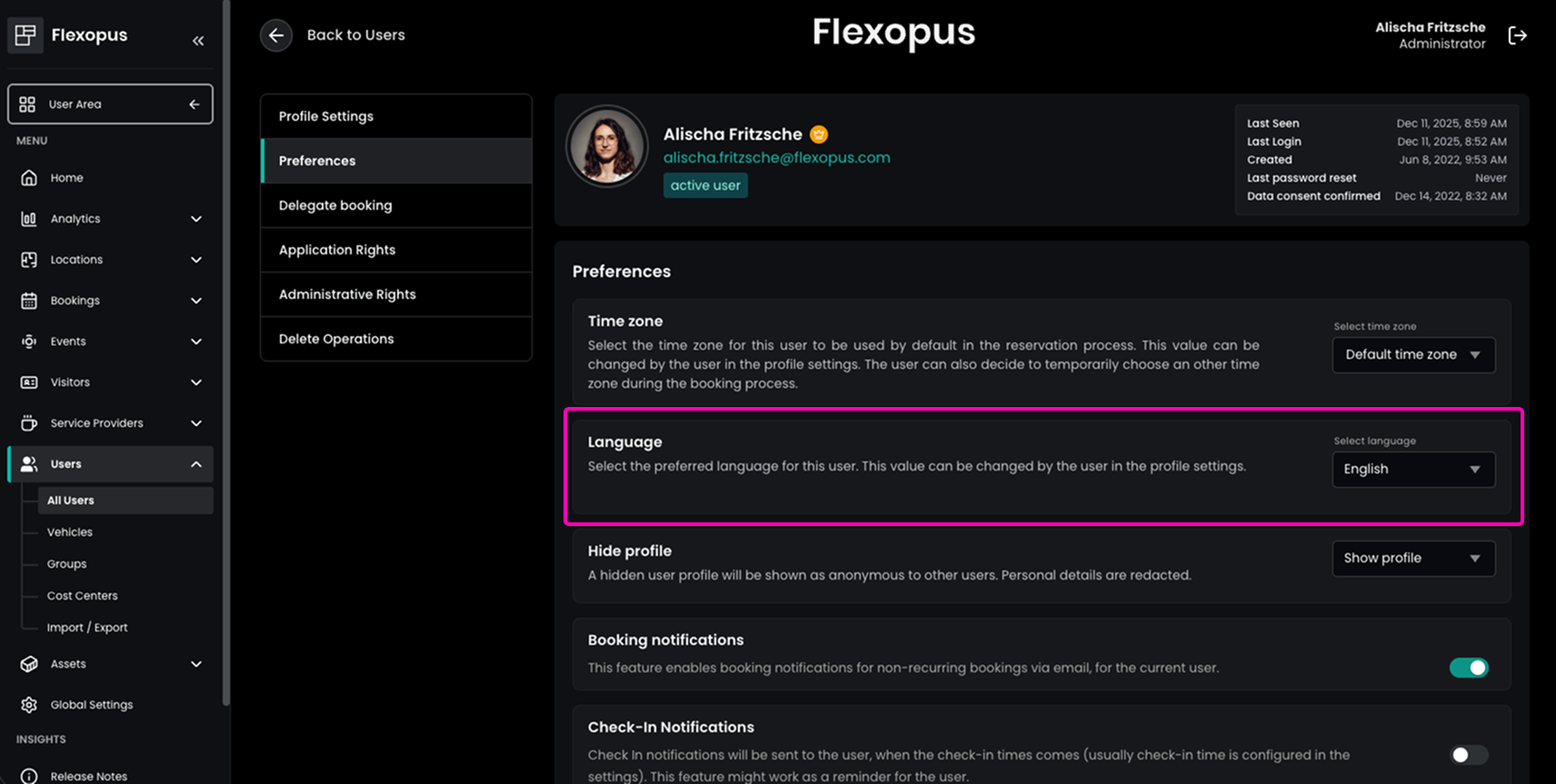
Admins can now define a default language for users, ensuring a consistent onboarding experience for international teams while still allowing individual overrides.
We also introduced access delegation (beta), enabling users to assign delegates who can manage bookings on their behalf without sharing credentials. Ideal for assistants, team leads, or executive support roles.
Device and Display Management
Flexopus expanded its device ecosystem with:
- Support for the Android Management API (beta) for centrally managed Android displays
- New kiosk-based device types for specific use cases (e.g. service providers or visitors)
- More granular control over kiosk behavior, including optional QR scanning
These updates make Flexopus easier to deploy at scale: from reception desks to floor displays and service terminals.
Workplace Booking and Collaboration
A major focus of recent releases has been visibility and collaboration within the workplace.
Enhancements to the Live-Plan and Attendance Display
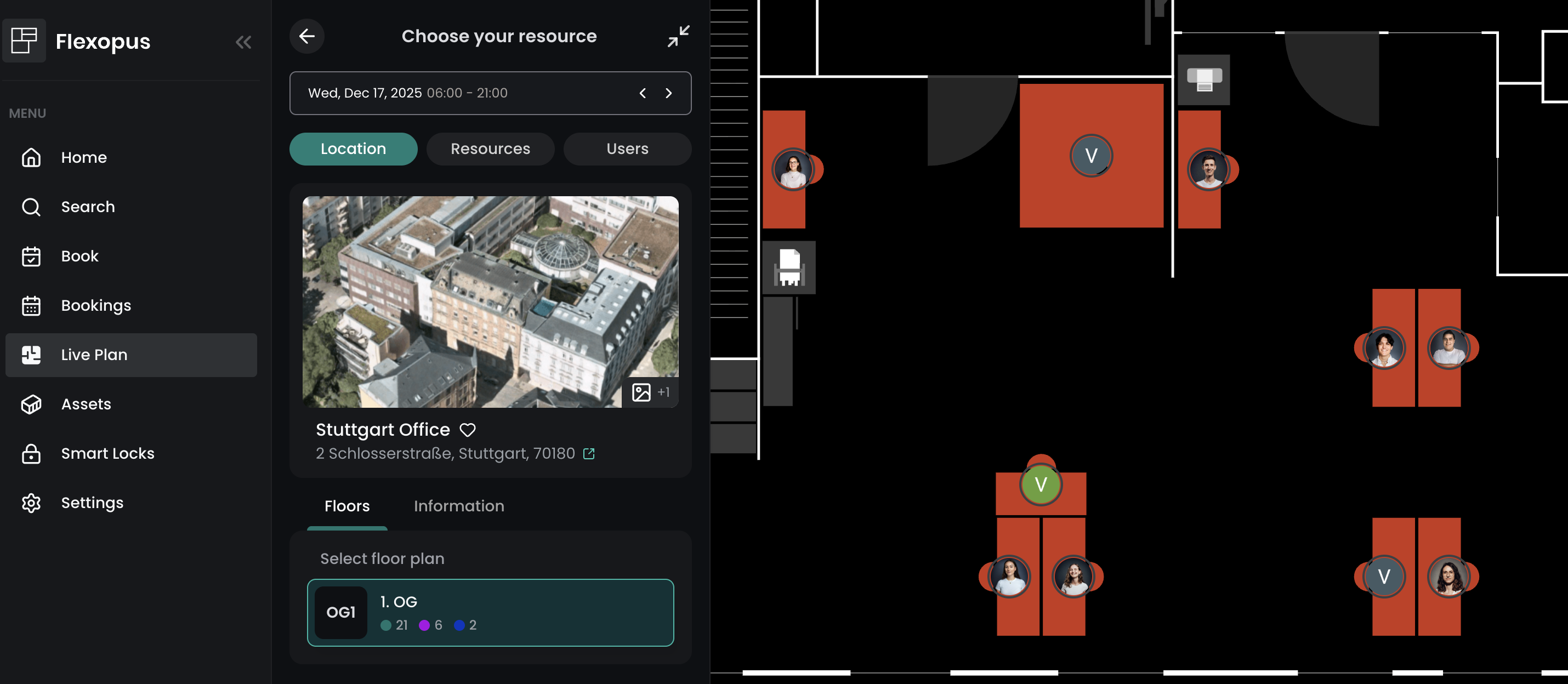
The live plan now shows user avatars / profile pictures directly on the floor plans as soon as you zoom in. This makes it easier to see who is on site and where colleagues are sitting.
Attendance features have been further improved by:
- An extended list of favorites with up to 50 colleagues
- Improved filter and search options within favorites
- A clearer presentation of the presence of key team members
User-defined Opening Times for Buildings
For the Workplace area, user-defined opening hours have been introduced for individual buildings. Administrators can now define their own opening and closing times for each building, which override global booking limits. As a result, the different availabilities of the respective locations can be realistically represented, and bookings can be better managed.
Bookable Time Slots
For bookings, predefined time slots such as morning, afternoon or all-day can now be selected, with the times being set automatically.
Event Management Improvements (Beta)
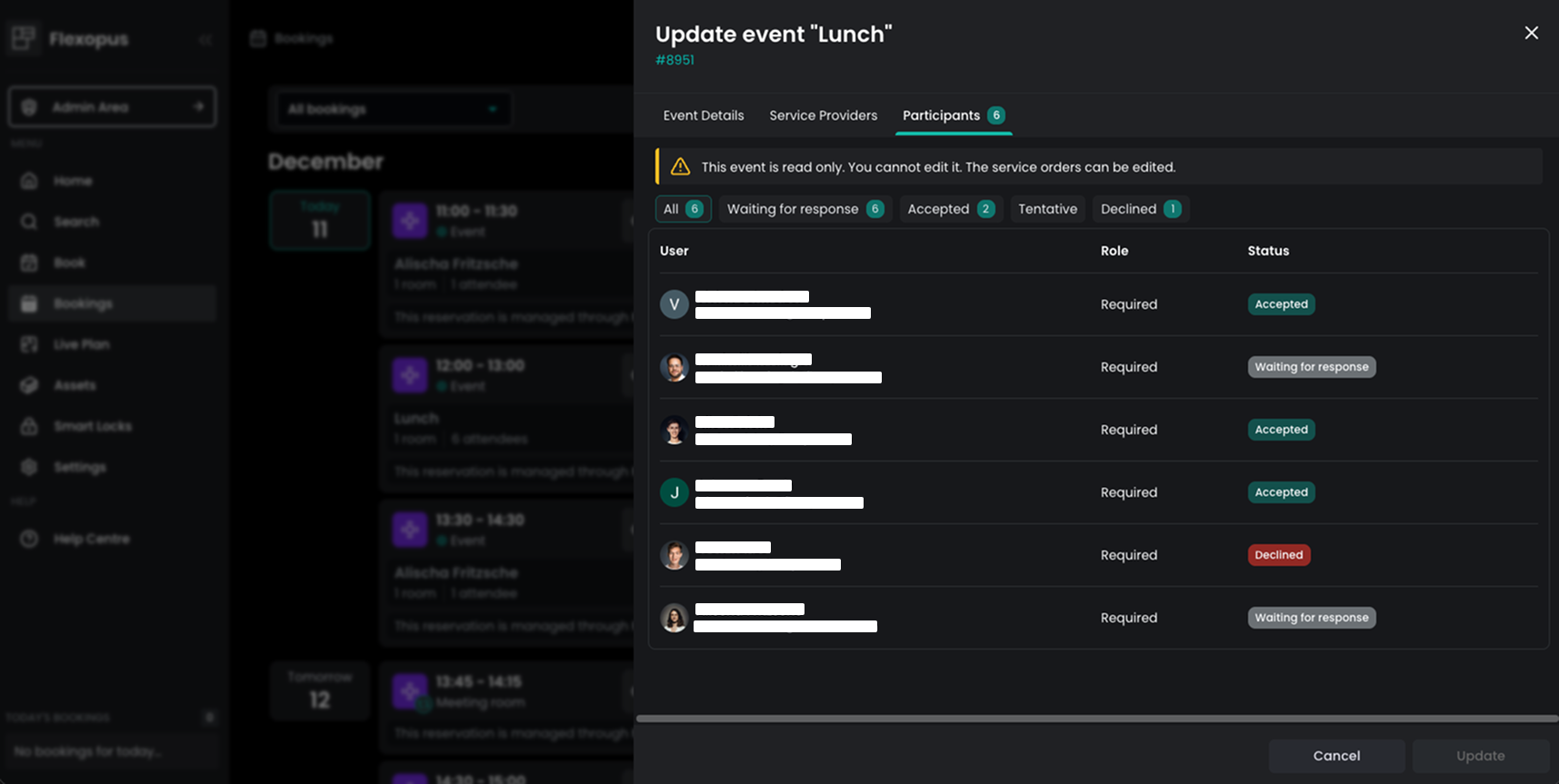
Event management functionality has been steadily enhanced, including:
- A Participants tab that shows attendance status (accepted, tentative, declined, pending)
- Better integration with calendars and workplace visibility
Calendar and Integration Features
Flexopus has continued to strengthen its position as a central workplace management system through deeper integrations.
Microsoft Exchange Enhancements
In addition to existing cloud integrations, Flexopus now supports self-hosted Microsoft Exchange servers (beta), a critical step for enterprise and on-prem IT environments:
- Calendar sync
- Visibility of events
- Seamless booking processes across various systems
Service Management Improvements
Service Management received some of the most extensive functional enhancements in these releases.
Advanced Configuration for Service Providers
Administrators can now configure detailed order settings per service provider, including:
- Manual acceptance requirements
- Grace periods for changes
- Order creation and modification limits
- Weekend availability
- Custom warning messages
Service providers can also define item categories, each with its own configuration, enabling more structured and predictable service workflows.
Improved Ordering Experience
Users benefit from a smoother ordering process with:
- Participant numbers entered directly during ordering
- Clear warnings when limits or restrictions apply
- Better item visibility and structured overviews
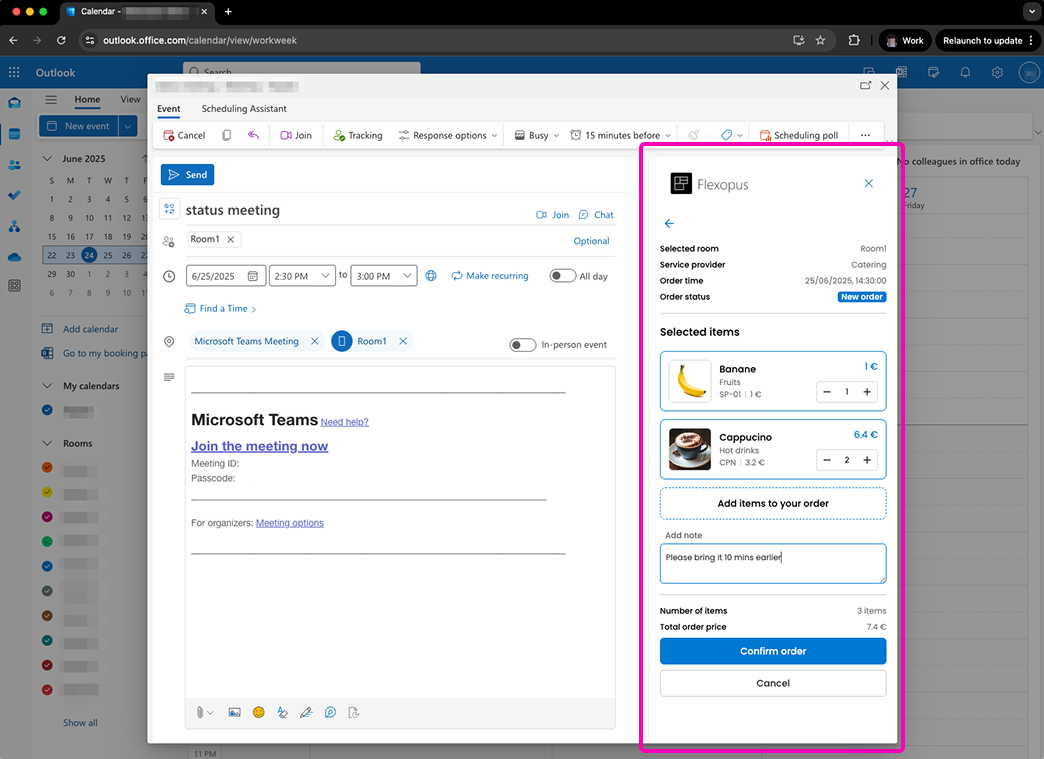
- Catering services can be planned and managed directly from Outlook for linked appointments
Service Analyses and Exports
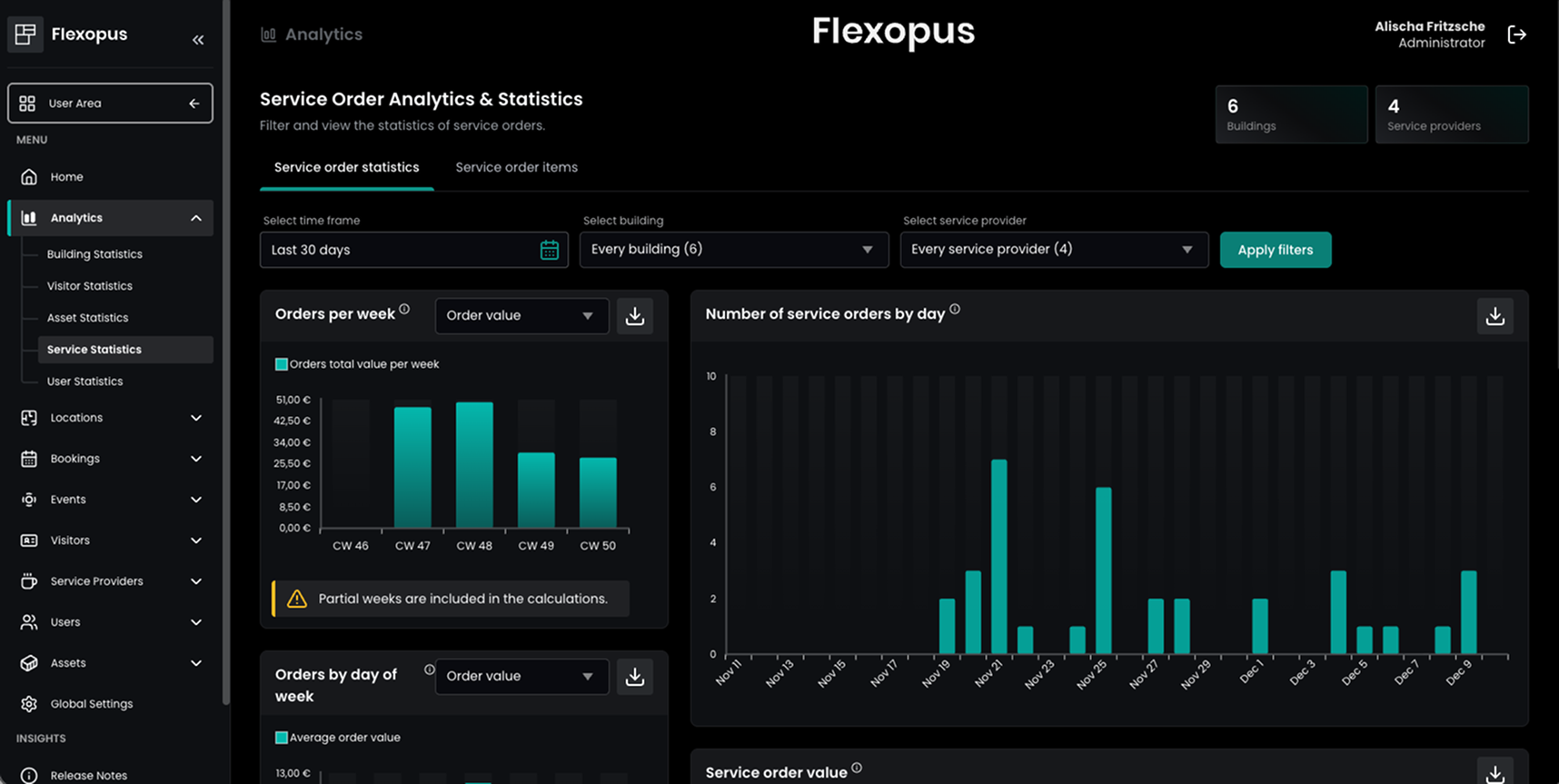
Flexopus now includes a Service Statistics Dashboard, giving admins insights into:
- Order volumes
- Total order values
- Cost center distribution
- Most frequently ordered services
Service orders can also be exported in PDF, CSV, or XLSX formats for reporting, sharing, or archiving.
Service Provider Kiosk
A new Service Provider Kiosk device type provides service teams with a read-only overview of assigned orders, without exposing admin settings. Ideal for catering, facilities, or external partners.
Visitor Management Enhancements
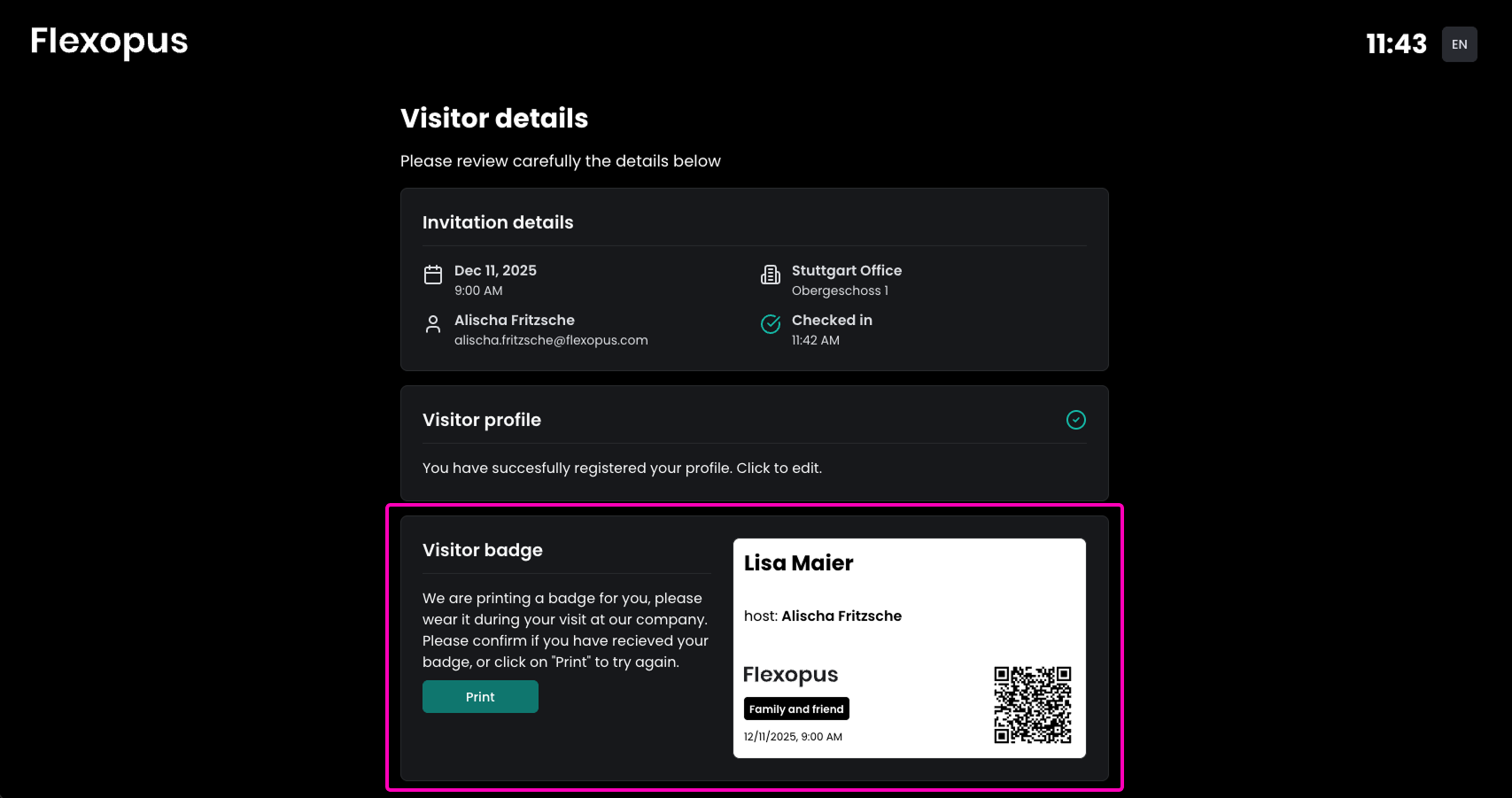
Visitor management workflows have become faster, more reliable, and more professional. The most important new features include:
- Optional QR scanner deactivation for kiosks without cameras
- Daily visitor list exports (CSV/XLSX) for reception teams
- Automatic badge printing after kiosk check-in
- Administrators can now enable visitors to check-in at the visitor kiosk even without prior invitation by activating an appropriate setting and defining kiosk-specific invitation templates
These improvements improve reception efficiency without sacrificing security or flexibility.
Asset Management Improvements
Asset management handling has been refined with additional safeguards, including:
- Preventing deletion of restricted asset bookings, ensuring critical equipment remains properly assigned
This strengthens asset reliability and avoids accidental disruptions.
What this means for Flexopus users
From versions 2.38.0 to 2.44.0, Flexopus has evolved from a strong workplace booking tool into an even more comprehensive hybrid workplace platform.
Across these releases, we’ve delivered:
- Better visibility for employees
- More control for admins
- Deeper integrations for IT teams
- Smarter workflows for services and visitors
- Scalable device and kiosk support
And this is just the foundation for what’s next.
If you want to dive deeper into the individual releases and discover more new features, you can find all the details in the complete changelogs of the following versions:
The most important questions summarized
What role does artificial intelligence play in the Flexopus 2025 updates?

AI became the central enabler for user experience in 2025. New features such as the “Smart Assistant” now help users automatically suggest the best places based on their habits and team preferences. This massively shortens the booking process. At the same time, AI helps administrators with predictive space planning (predictive analytics) in order to adapt office capacities more efficiently to actual requirements and reduce unnecessary energy costs.
How were analytics capabilities for administrators improved in 2025?
The year 2025 brought a completely redesigned analytics dashboard. Admins now get deeper insights into the actual utilization of individual zones and days of the week. By combining real-time data and historical trends, well-founded decisions can be made about reducing space or redesigning. The dashboards are also highly customizable so that reports can be exported for management with just a few clicks, significantly simplifying strategic space planning.
What were the changes in integrations and accessibility in 2025?
Flexopus further expanded connectivity to leading HR and calendar systems in 2025 to avoid data silos. There was also a particular focus on “digital accessibility”: The user interface was optimized in accordance with the latest accessibility standards so that all employees — regardless of physical limitations — can easily use the tool. In addition, new interfaces for smart building sensors were implemented, which represent the live status of rooms and places even more precisely.
Last updated:
2026-07-24
.svg)


.webp)
.webp)