Workplace Management
2026-02-27
Digital Signage for Public Authorities: Applications, Benefits, and Implementation
Digital communication often fails due to a lack of visibility. Digital signage uses displays in central locations (receptions, corridors, meeting rooms) to present information in a targeted, real-time manner. Application examples range from internal communication to visitor management and KPI dashboards. A successful rollout requires clear goals, processes, and accompanying change communication to ensure the system is scalable.

Table of contents
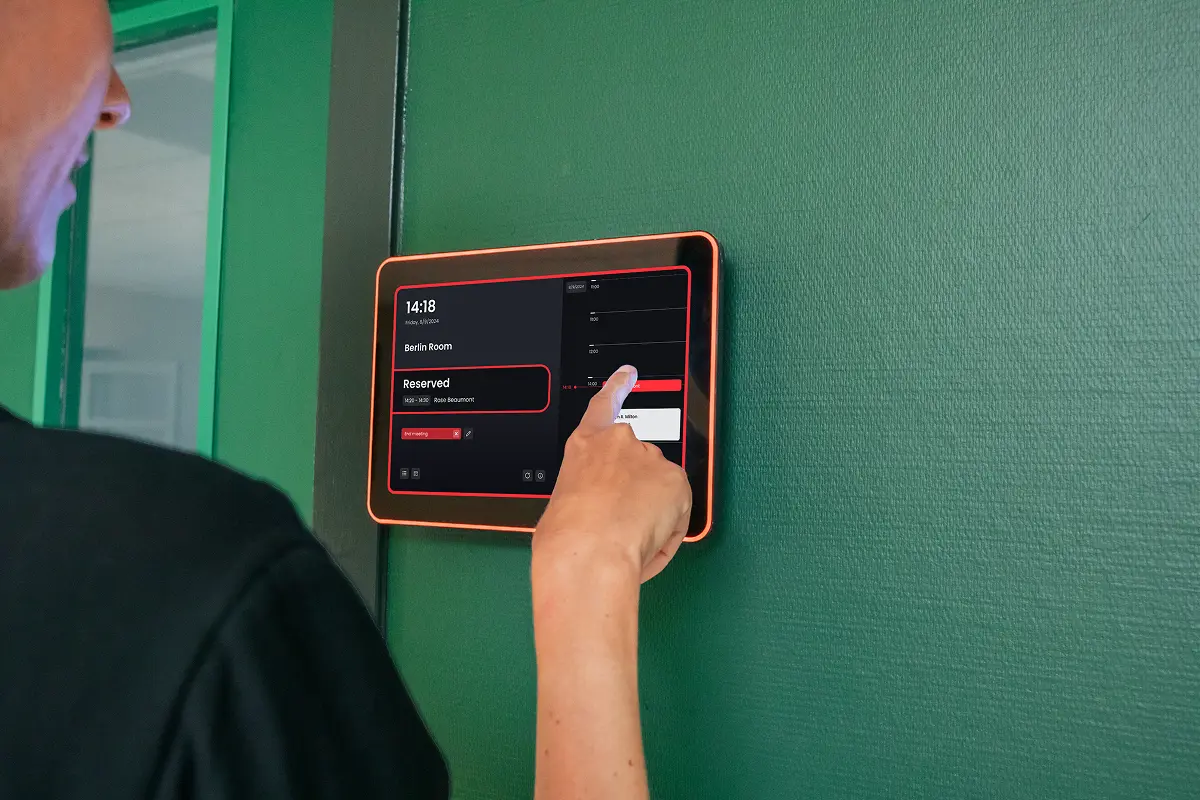
Public administrations communicate with two target groups simultaneously: their own employees and citizens, many of whom are visiting the building for the first time. Information posted on the intranet or pinned to a notice board does not reliably reach both groups. This is where digital displays come in: they present messages exactly where people pass by anyway—at the town hall reception, in the waiting area of the citizens' office, in hallways, or outside meeting rooms. It is precisely at these hubs that Digital Signagehelps to simplify processes and deliver information exactly where it is needed.
Why authorities and public institutions are turning to digital signage
Public authorities face many factors that push traditional notices to their limits: high foot traffic, multiple departments or offices in a single building, changing opening hours and meeting schedules, as well as high demands for clarity and accessibility. A Digital signage software for public institutions solves this by allowing content to be managed centrally and distributed to specific screens. Changes—such as a last-minute committee meeting reschedule or updated office hours—are immediately visible everywhere, without anyone having to walk through the building to swap out paper notices.
Use cases: Digital signage in local government
Many rollouts fail not because of the hardware, but because of the content and responsibilities. To ensure digital signage display software is viewed as a long-term, comprehensive solution, these proven principles help:
Digital signage is most effective when it does more than just display information "attractively"—it supports workflows: content is centrally managed, targeted, and adapted to the specific situation. Typical examples from local government:
1. Citizen information and internal communication
Screens are ideal for short, clear content: opening hours, information on documents required for appointments, community events, safety alerts, or organizational notices and new service instructions for employees. The advantage: messages can be planned centrally, updated quickly, and deployed in real-time—even separately for public areas and areas accessible only to staff.
2. Multiple departments and locations
Many municipalities are spread across a town hall, a citizens' office, a public works yard, or satellite offices. A municipal digital signage solution enables both: central content for all locations and local content for each building, floor, or department. This keeps communication consistent while allowing each office to manage its own specific notices.
3. Orientation and visitor guidance in the town hall
Displays at the reception or in hallways show where each department is located, how to get to the meeting hall, and what to keep in mind when checking in. In public authorities especially, this information must be standardized, easy to read, and accessible to everyone. For those who also want to digitally register guests and appointments, digital signage can be combined with a Visitor management software system.
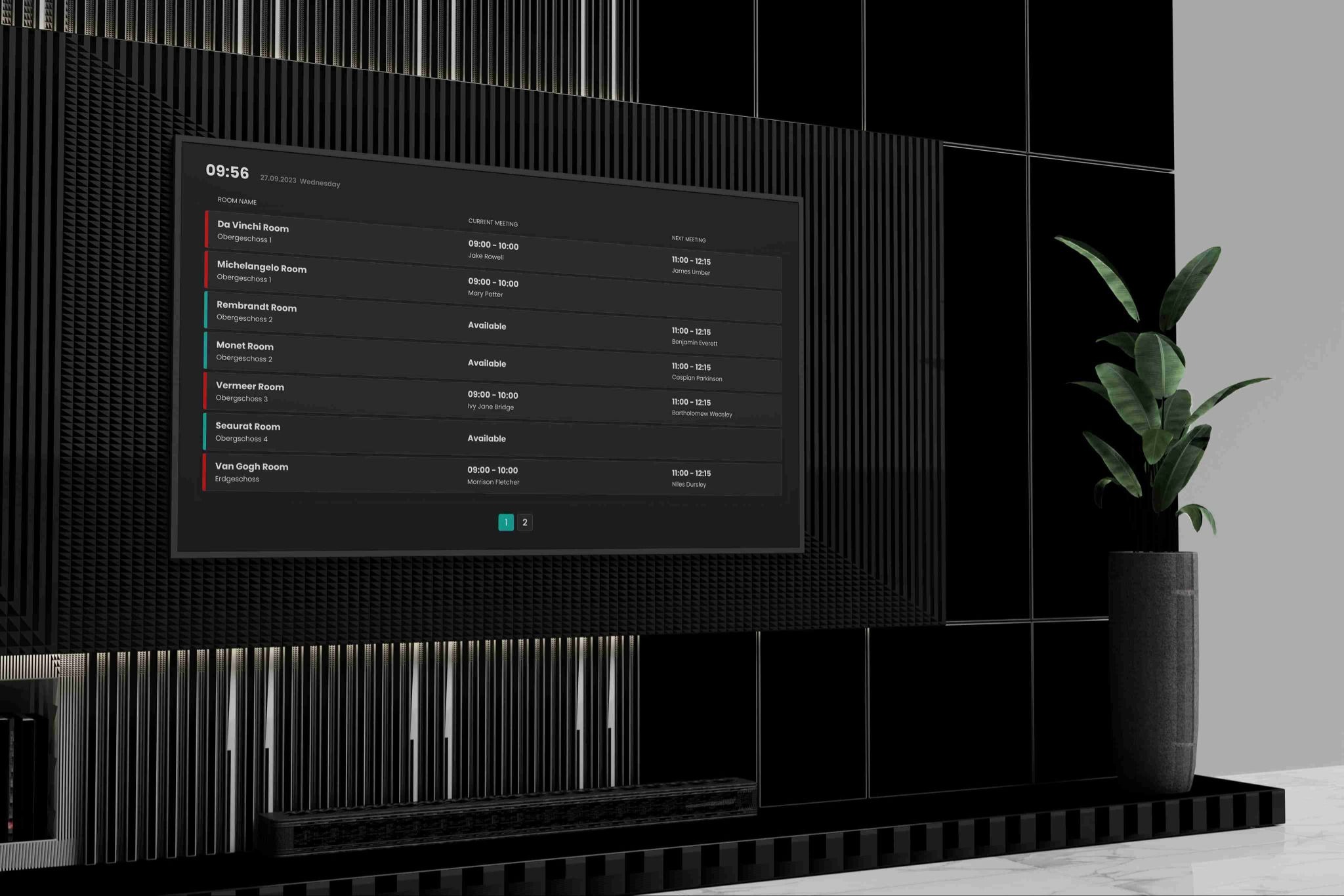
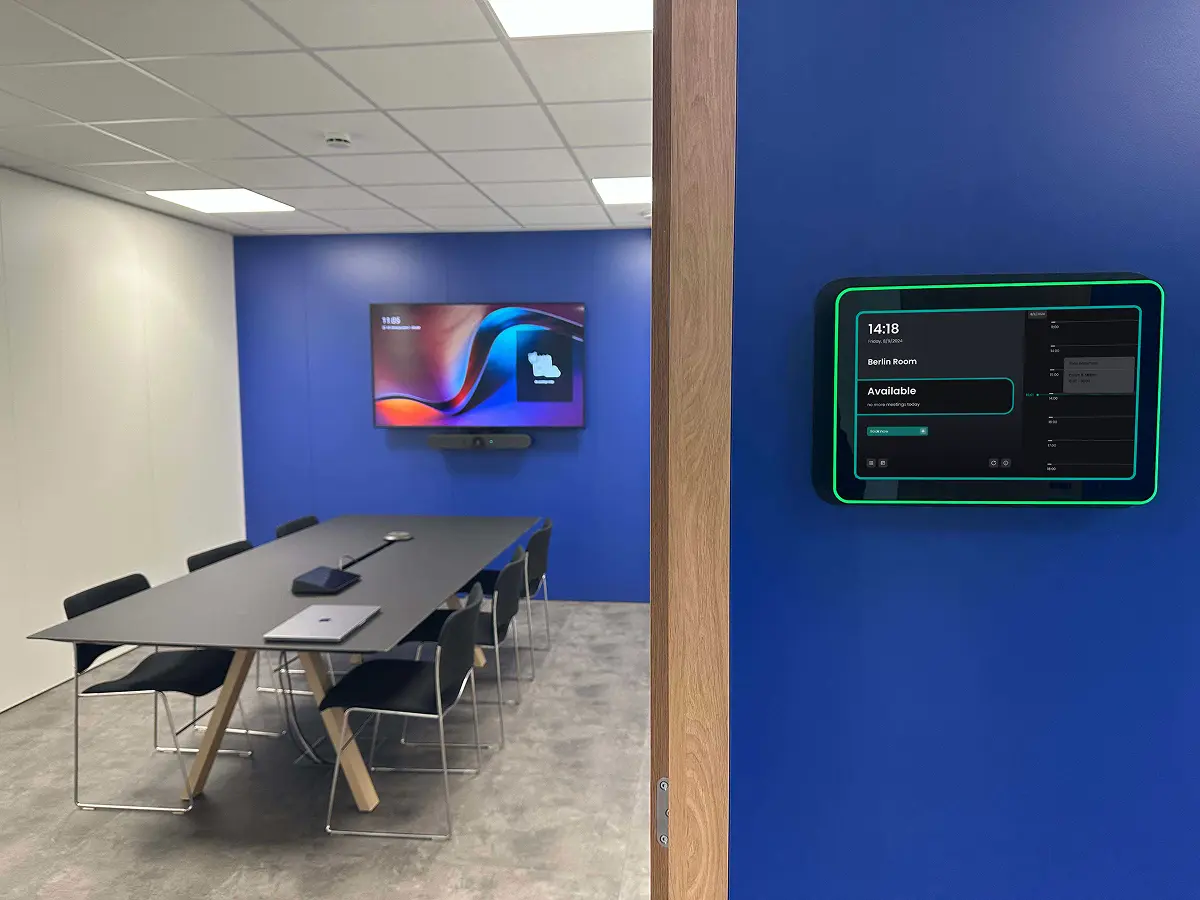
4. Meeting, conference, and training rooms
Outside the council chamber, meeting rooms, or training rooms, displays show current occupancy, the next scheduled meeting, and information regarding technology or capacity. In combination with a room booking system , inquiries and double bookings are reduced. Our article on how municipalities can digitally organize their rooms as a whole can be found here: Room management for municipalities.
5. Status displays and key performance indicators
Internally, many administrations use screens for occupancy rates, IT outage reports, or the status of ongoing projects. It is important not to overload content: keep it to a few key figures, ensure they are easy to read, and use clear visualizations.
Requirements for a municipal digital signage solution
Many projects fail not because of the hardware, but because of content, responsibilities, and guidelines. For the public sector, there are additional requirements that should be clarified early on when selecting digital signage software for government agencies.
1. Data protection and data hygiene
The more systems that are connected, the more important data hygiene becomes. Calendar or room information provides great added value, but must not display personal or confidential details on a publicly visible display—such as the names of citizens or the subjects of non-public meetings. The right solution displays exactly the information needed in the respective context, and nothing more.
2. Data sovereignty and hosting
For many authorities, it is crucial where data is stored and processed. Ask providers specifically about hosting locations, certifications, and the use of hyperscalers. Background information on this can be found in our glossary article on data sovereignty and the article Hosted in Germany vs. Hosting in Germany.
3. Clear roles and approvals
When multiple departments manage content, rules are needed: Who is allowed to create content, who approves it, and who controls which screens? Good software handles this via rights and roles so that content remains consistent while still being adaptable for each department.
4. Content plan instead of content flood
A brief editorial plan prevents screens from being overloaded or eventually left blank. A simple logic has proven effective: fixed content (e.g., opening hours, wayfinding), changing content (e.g., events of the week), and live information (e.g., room occupancy, outages). Displays in the citizens' office should be designed differently than screens in areas for employees only.
5. Accessibility and readability
Public bodies have special obligations regarding accessibility. On displays, this means: sufficient font size and contrast, simple language, no information conveyed solely through color, and a mounting height that is readable even while seated. More on this topic in the guide to digital accessibility.
6. Integration into existing IT
Many administrations work with Microsoft environments, some still using locally operated systems. Check whether the solution can connect to existing calendars – such as Exchange On-Premise – and existing user management, instead of maintaining data in two places.
Introducing digital signage in local government: 6 steps
A successful rollout is a change project: technology, processes, and communication must work together. Based on our experience with digital signage projects, this sequence has proven effective:
- Define goals, target groups, and locations First, you should determine what you want to achieve (e.g., better orientation for citizens, fewer inquiries at the reception, transparent room occupancy) and who you want to reach at which screen. This will determine which displays are appropriate for which locations.
- Prioritize use cases and document requirements Instead of trying to cover everything at once, it is recommended to start with 2–3 use cases. From these, you can derive requirements – central management, ease of use, necessary equipment, locations, integrations, and data protection. This list also serves as a good basis for procurement or tendering.
- Clarify responsibilities and involve committees early on To ensure content is maintained long-term, you need defined roles: content creation, technical support, and approval. In public authorities, the staff council and data protection officers should also be involved early on – especially if displays show data from calendars or booking systems.
- Start a pilot phase with selected screens A pilot, for example in the citizens' office or in front of meeting rooms, reduces risk: fewer displays, clearly defined content, and fixed feedback loops. You will quickly see whether the controls are intuitive, whether content is easy to read, and whether it is reliably displayed in real time.
- Plan change communication and build acceptance Transparency is crucial: What is shown on the screens, and what is intentionally not shown? What rules apply to content and data protection? Accompanying change communication increases acceptance among employees.
- Roll out, operate, and develop further Following the pilot, the next steps include templates, content guidelines, defined responsibilities, device maintenance, and monitoring. This turns individual displays into a manageable network across all departments. For those simultaneously introducing flexible working models, you can find inspiration in our article Desk sharing in public administration.
Digital signage software for public institutions: the Flexopus solution
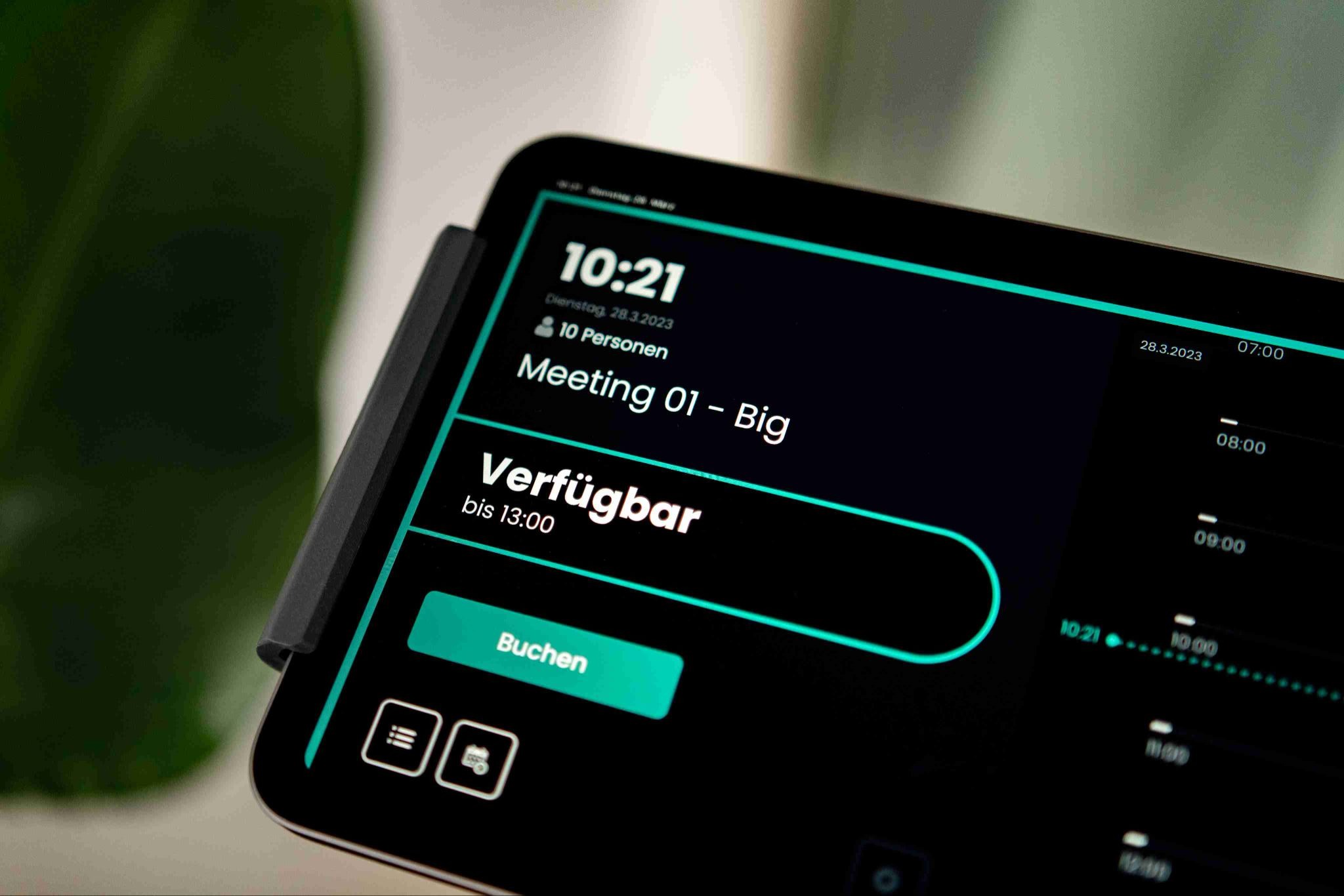
Flexopus complements digital signage wherever room booking, transparency, and live information are required. The Flexopus digital signage software includes door signs, visitor kiosks, and occupancy displays, and is part of our workplace management platform. With the Flexopus Display App, displays outside rooms become bookable door signs; existing screens can be used, for example, via Android TV as an information screen. You can find suitable hardware in the Flexopus Shop.
- Ad-hoc booking Rooms can be booked spontaneously directly at the display – this reduces inquiries and improves utilization.
- Room analysis Flexopus Smart Analytics evaluates room usage and supports data-driven planning for meeting and conference spaces.
- Presence display The presence indicator displays status information at an individual level and makes it easier to find colleagues when employees are working remotely.
- Room finder With meeting room info screens it is visible at a glance which room is occupied and when it will be free again.
- Security and data protection Flexopus is certified by TÜV Rheinland according to ISO 27001:2022. The platform runs entirely on infrastructure in Germany at Hetzner Online – without hyperscalers like AWS, Azure, or Google Cloud. Personal data is processed in compliance with the GDPR, and access is role-based and protected by multi-factor authentication. Details can be found on our page regarding data security.
Conclusion: Digital signage software for public authorities as a building block of modern administration
Digital signage delivers value in public authorities when content is managed centrally, distributed in a targeted manner, and linked to clear processes. Key factors include documented requirements, a realistic pilot project, defined responsibilities, early involvement of staff councils and data protection officers, and change communication that clearly explains benefits and rules. This transforms individual screens into a municipal digital signage solution that reliably informs citizens and employees across all departments.
The most important questions summarized
What features should digital signage software for government agencies include?

It needed to manage content centrally and distribute it to specific screens or locations, map roles and permissions, and integrate with existing systems such as calendars or user management. For public authorities, data protection, hosting location, and accessibility are also critical: no personal or confidential information may appear on publicly visible displays, and content must be easily readable for everyone.
Where is digital signage used in municipal administration?
Typical applications include displays at reception areas and citizen offices for opening hours, wayfinding, and notices; outside council chambers and meeting rooms for occupancy and session schedules; and in staff areas for internal communications, maintenance alerts, and performance metrics. Municipalities with multiple locations use centralized content for all buildings while supplementing it with local information for each specific office.
Is it possible to use digital signage in public institutions in compliance with data protection regulations?
Yes, provided that content is chosen carefully and the software meets the necessary requirements. Displays should only show information that is relevant to the context—for example, "occupied until 11 a.m." instead of the name and subject of a meeting. When selecting a solution, it is worth checking the hosting location, certifications, role-based access control, and the data processing agreement. Staff councils and data protection officers should be involved at an early stage.
How do you successfully implement a municipal digital signage solution?
How do you successfully implement a municipal digital signage solution?
Last updated:
2026-11-13


